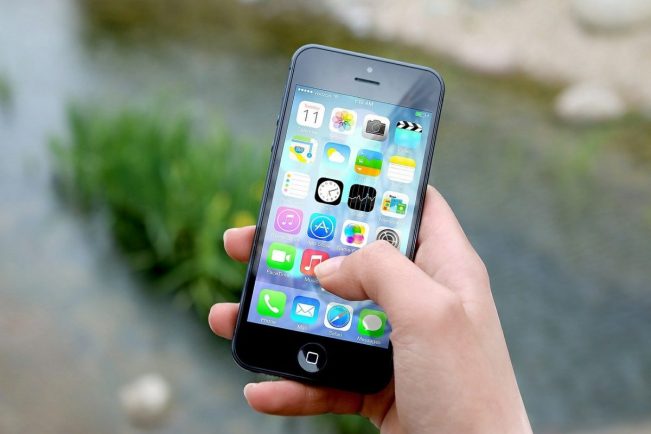
A handful of small tweaks can make your iPhone feel easier, calmer, and more “you”.
These aren’t flashy tricks, but everyday helpers that save taps and keep you in control without thinking about it.
Below, we walk you through simple setups and how to combine them so your phone naturally fits your routine.
Smart, thoughtful customisation
A solid place to start is linking your lock screen to focus modes. Create one for work, another for workouts, and one for downtime, each with its own widgets and wallpaper. As your focus changes, so does what you see: calendar and weather in the morning; music and timers when you exercise.
Next, try Widget Stacks with Smart Rotate. Group Reminders, Notes, and Activity, and let the system surface what’s most useful at each moment. Pair that with Shortcuts automations, like opening Maps when you connect to your car, so the phone responds to context, not just taps. If you’re weighing features or setups by model, have a quick look at iPhone 16 to see which customisations will matter most in your day-to-day. In a moment, you’ll see how these ideas tie neatly into camera and battery habits.
Camera and photo tweaks
Set a photographic style with richer contrast, more vibrant colour, or a custom tone, so every shot starts closer to your taste and needs less editing later. When you shoot portraits, try shifting focus after the fact; moving the focal point can turn a decent picture into a keeper.
Bring back Live Photos and turn a favourite into a short video for easy sharing, or choose the best frame as your Key Photo if the timing wasn’t perfect. Also enable the level guide in camera settings to keep horizons straight without fuss. These quiet tools add up when you scroll through your camera roll. Prefer a bigger screen and stronger battery for travel or content? It’s worth skimming the iPhone 16 Pro Max since its larger display and stamina make these camera workflows more comfortable over long days.
Battery, audio, and tiny shortcuts
Consistency helps with battery health, so switch on Optimised Battery Charging so your phone reaches 100% right before you start your day. Add a couple of automations so you don’t have to babysit percentages. The system handles it in the background.
On audio, personalise Spatial Audio with the ear scan and head tracking. Music and podcasts sound clearer and more centred. For focus or quiet moments, use Background Sounds (rain, ocean, or soft noise) from Control Centre, and attach a one-tap Shortcut to toggle them when you need to get things done—or unwind.
Set double-tap to take a screenshot and triple-tap to launch your most-used app or a favourite shortcut. It’s quick, discreet, and surprisingly handy. If you’re comparing prices or considering refurbished devices, marketplaces like Back Market list model conditions and specs so you can review the details before deciding.
You need to combine small, reliable adjustments: a lock screen that follows your focus, a camera set to your style, and automations that care for battery and sound. Start with two or three, live with them for a week, and keep the ones you actually use. You’ll come back to these hacks because they quietly simplify your day, which is exactly what a well-set-up iPhone should do.